

Skip to content
DevHub · Closed beta

Give your AI agents a workshop that knows your projects

DevHub is a developer workshop on your own computer. It gives the AI clients you already use knowledge of your projects and clear rules to work by.

Closed beta: accounts by invitation.

DevHub · Dashboard
The DevHub Dashboard: the MCP server running, the number of calls and clients, and the folders exposed to AI clients. The sample data shown is made up.The DevHub Dashboard: the MCP server running, the number of calls and clients, and the folders exposed to AI clients. The sample data shown is made up.

Integration

Plugs into the AI clients you already use

DevHub connects to Claude Code, Codex, GitHub Copilot and OpenCode in two ways. It writes each client’s configuration into your project folder, in the client’s own format, and it runs one MCP server that every client reaches for vaults, the repository index, plans and memory.

DevHubOn your Mac

Way 1

Configuration

Written into the folder, where the client looks for it.

  • Instructions
  • MCP configuration
  • Skills
  • Rules
  • Commands
  • Hooks

Way 2

MCP server

One address that every connected client calls.

  • Vaults
  • Repository index
  • Plans
  • Memory

Within what your account allows

Your AI clients

  • Claude Code
  • Codex
  • GitHub Copilot
  • OpenCode

Generated configuration

DevHub writes the files your client reads

Set a folder up once on Harnesses Manage. Start the client there, and it already knows the project, the vault and the tools it may use.

  • The instructions file the client reads, with the MCP configuration that points it at DevHub
  • The skills, rules and commands of the profile you choose, in the client’s own folders
  • Hooks, where the client supports them, that collect what fails into Agent Intelligence
  • Update rewrites the files when DevHub changes; removing an installation deletes only what DevHub wrote
A folder set up for Claude Code
your-project/
├── CLAUDE.mdinstructions├── .mcp.jsonMCP configuration└── .claude/    ├── settings.jsonhooks    ├── skills/…skills    ├── rules/…rules    └── commands/…commands
Each client gets the same in its own places: Codex and OpenCode read AGENTS.md, GitHub Copilot reads .github/copilot-instructions.md and sets its MCP connection in the client itself.
Harnesses in the docs

MCP server

One server for every client

The MCP server is how an AI client reaches DevHub. While it runs, a connected client calls DevHub’s tools; while it is stopped, agents cannot reach DevHub.

  • Tools for vaults, the repository index, plans and investigations, agents and memory
  • One address for every client, copied from the Dashboard or written by Harnesses Manage
  • Each tool is offered only when your plan allows that area for agents, and you can switch tools off
  • Every call is listed on the Activity screen: the client, the tool, the result and how long it took
MCP server in the docs

Features

What DevHub gives the AI clients you already use: knowledge to read, a map of your code, plans to work through and one place to connect them.

  1. Knowledge

    Write down how things work, so agents can ask

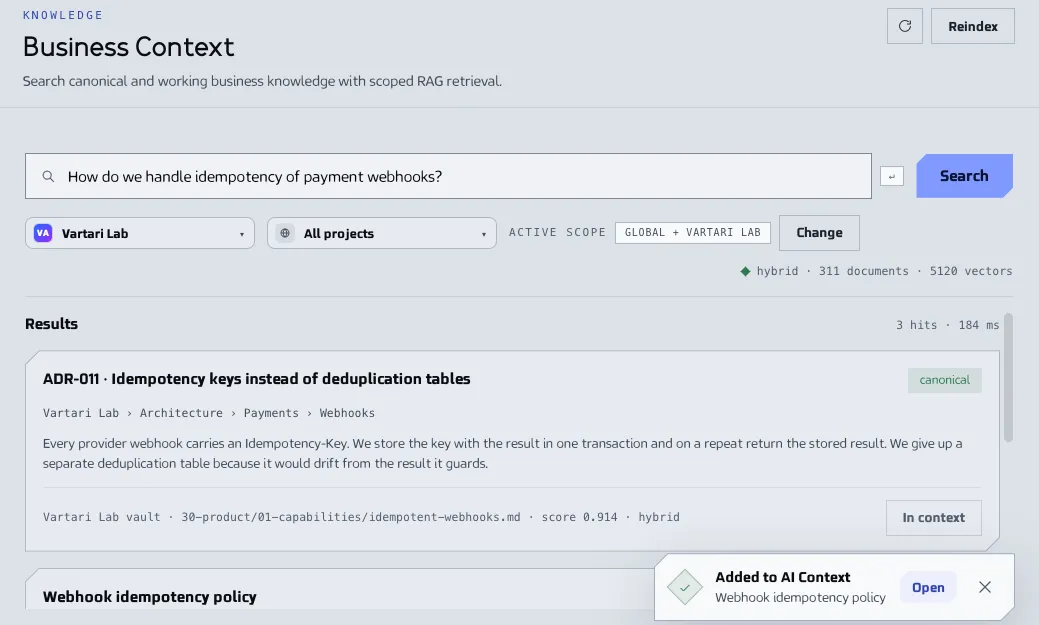
    Keep what you know about your product in vaults of Markdown notes. Business Context searches them by words, without a model, and agents search the same notes instead of guessing.

    • Vaults for an organization or for one repository
    • Read and write, read only or off, set for each vault
    • Open the notes in Obsidian, if you use it
    Learn more in the docs (Knowledge)
    DevHub · Business Context
    The Business Context screen with a question in the search box and a list of matching notes from a vault, each with its path and score. The sample data shown is made up.The Business Context screen with a question in the search box and a list of matching notes from a vault, each with its path and score. The sample data shown is made up.
  2. Vault graph

    Everything connected

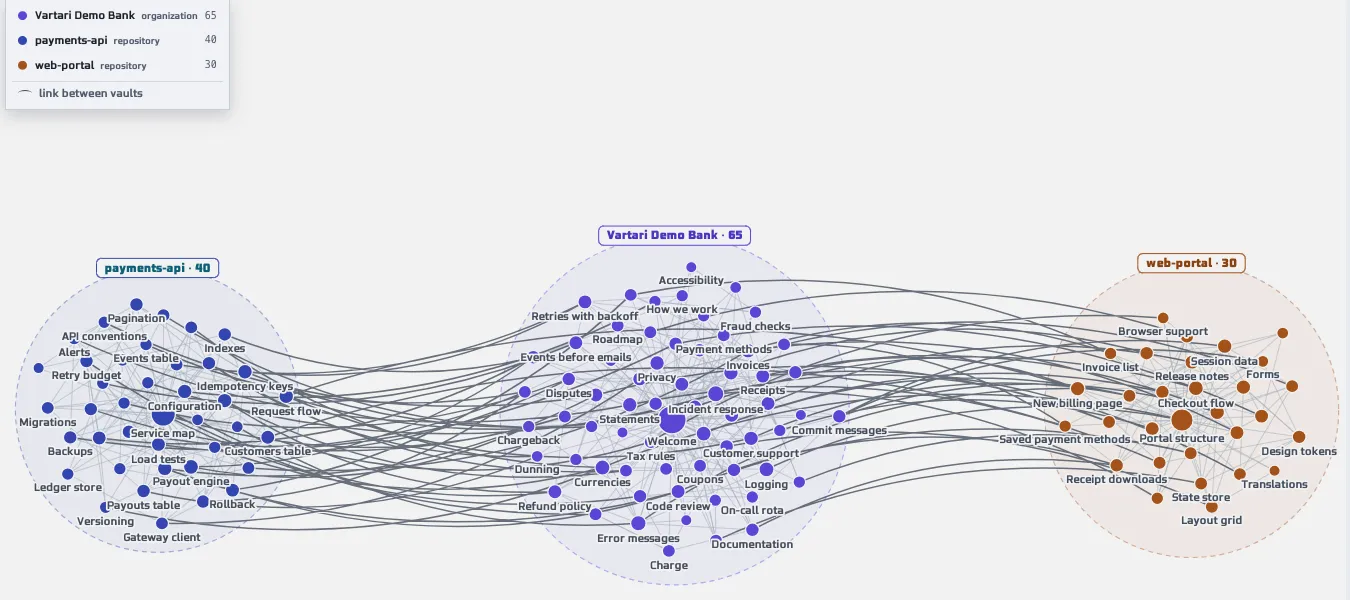
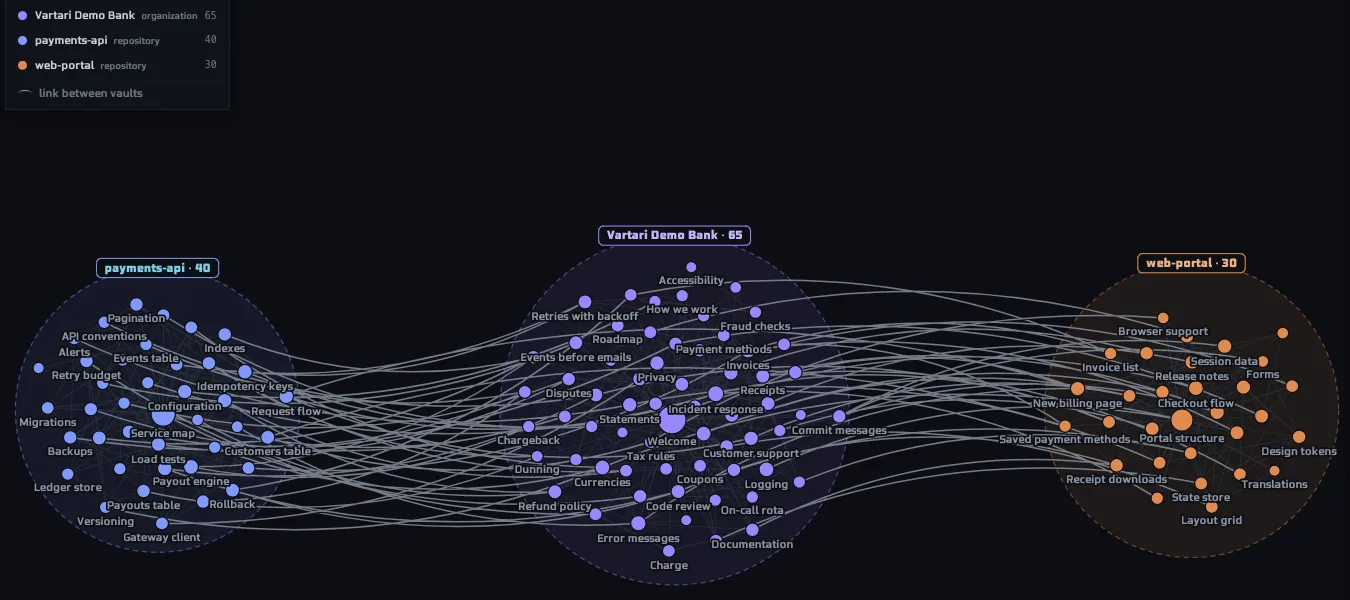
    The Vault Viewer draws the notes as a graph of their links. All vaults shows an organization and its repositories together: each vault is its own cluster, and the links between vaults are drawn brighter.

    • Colour is the top folder, size is the number of links
    • Hover a note to see its neighbours, click to open it
    • Switch between one vault and all vaults
    Learn more in the docs (Vault graph)
    DevHub · Vault Viewer · Graph
    The graph of three vaults: an organization vault in the middle and two repository vaults beside it, each a cluster of notes, with lines for the links inside and between them. The sample data shown is made up.The graph of three vaults: an organization vault in the middle and two repository vaults beside it, each a cluster of notes, with lines for the links inside and between them. The sample data shown is made up.
  3. Repository Index

    A map of your code, for agents and for you

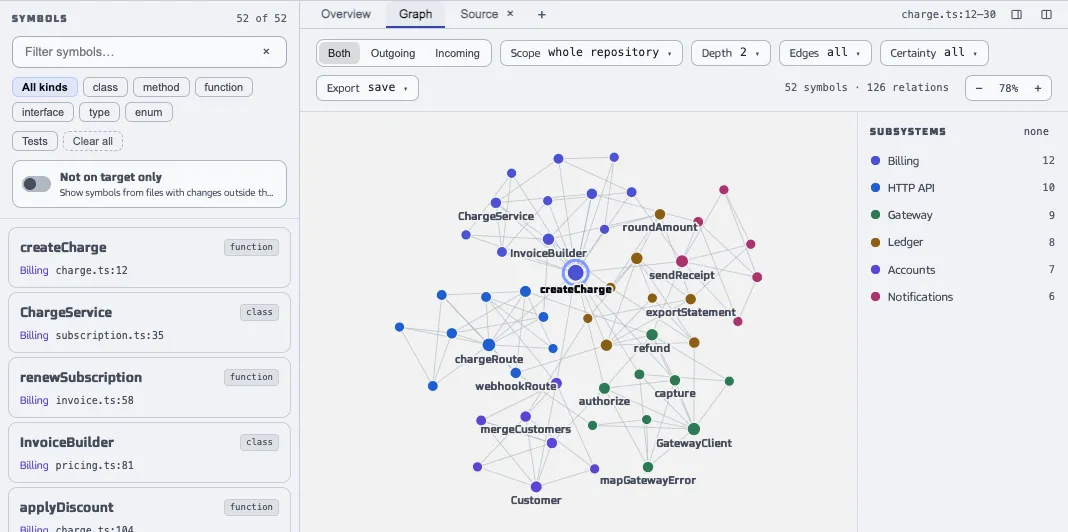
    The Repository Index reads a folder into symbols, files and the relations between them. Agents ask it where something is, who calls it and what a change would reach. You open the same map in a window, with its graph, its files and the git history of a symbol.

    • JavaScript and TypeScript, Python, C# and Java
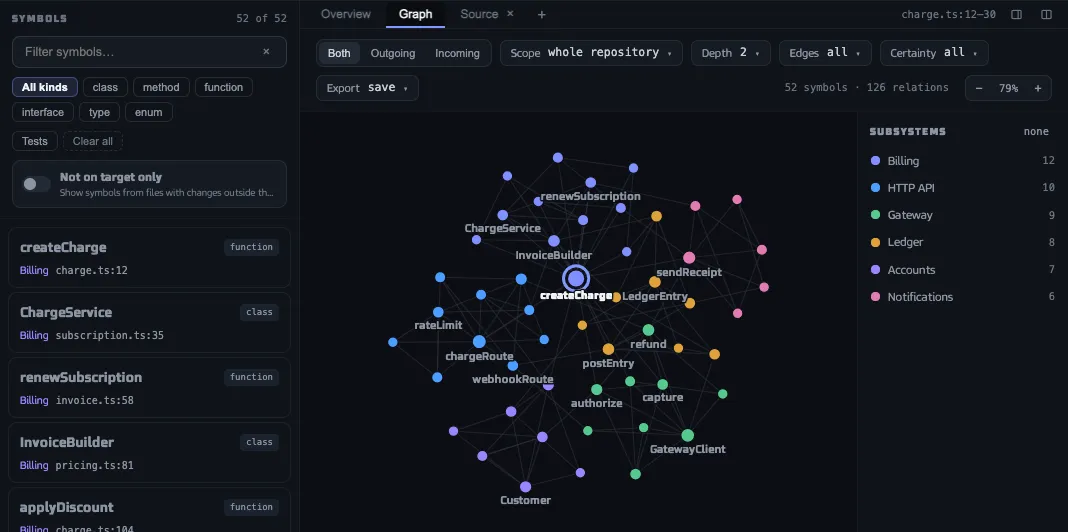
    • A graph of the symbols, grouped into subsystems
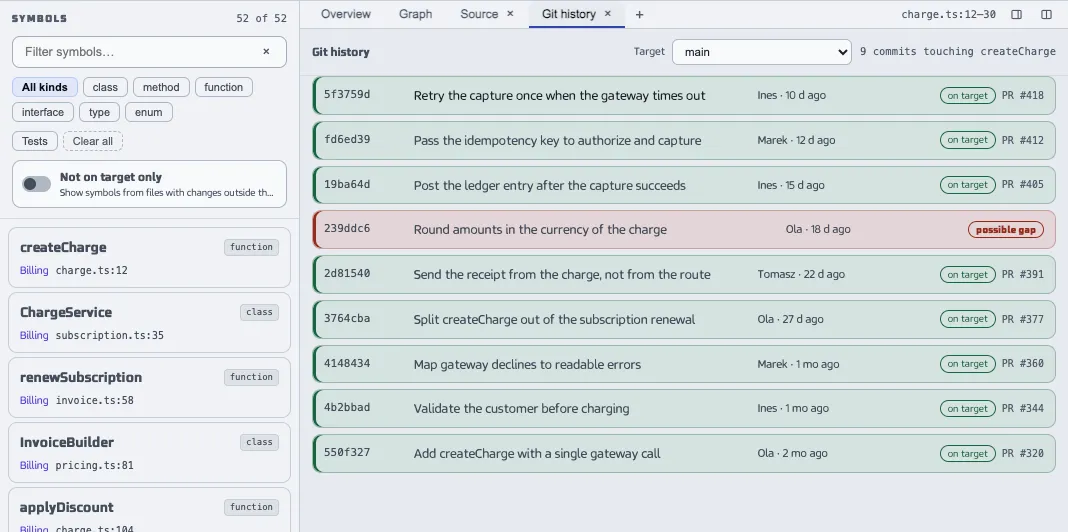
    • Git history: the commits that touched the selected symbol
    Learn more in the docs (Repository Index)
    DevHub · Repository Index · Graph
    The Repository Index window with a list of symbols and a graph of the whole repository, its symbols coloured by subsystem, next to a list of the subsystems with their sizes. The sample data shown is made up.The Repository Index window with a list of symbols and a graph of the whole repository, its symbols coloured by subsystem, next to a list of the subsystems with their sizes. The sample data shown is made up.
    DevHub · Repository Index · Files
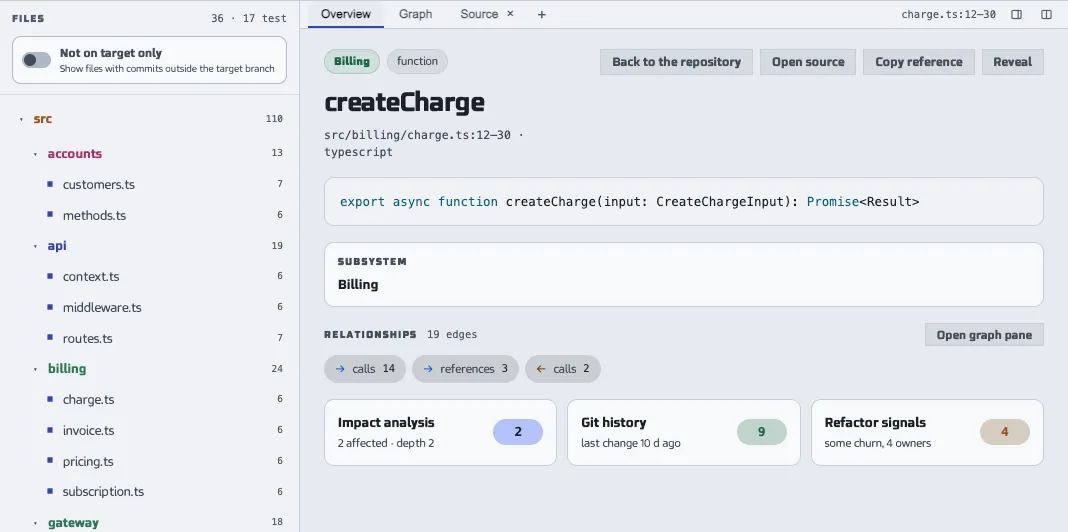
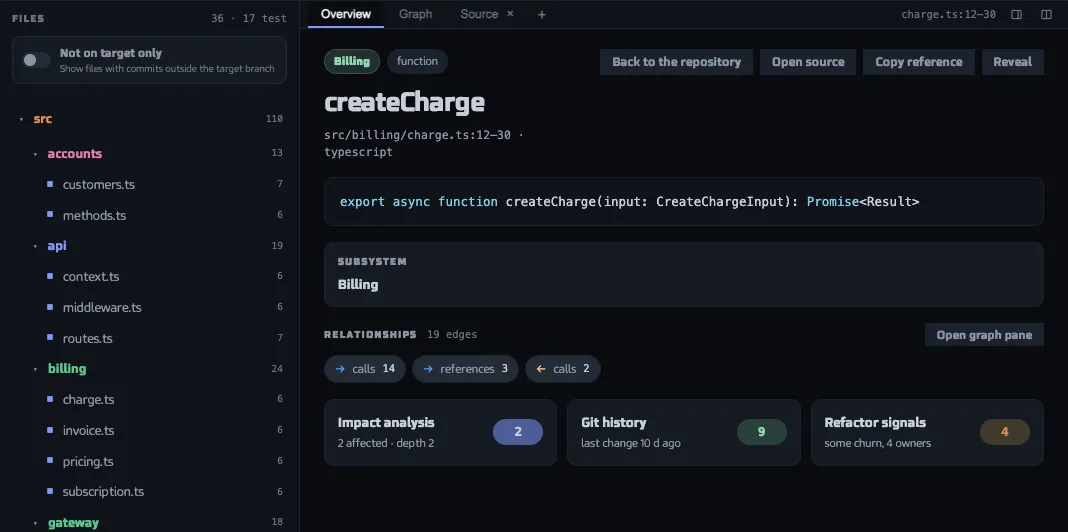
    The Repository Index window with the file tree of a repository and the overview of a selected function: its signature, subsystem, relations and cards for impact, git history and refactor signals. The sample data shown is made up.The Repository Index window with the file tree of a repository and the overview of a selected function: its signature, subsystem, relations and cards for impact, git history and refactor signals. The sample data shown is made up.
    DevHub · Repository Index · Git history
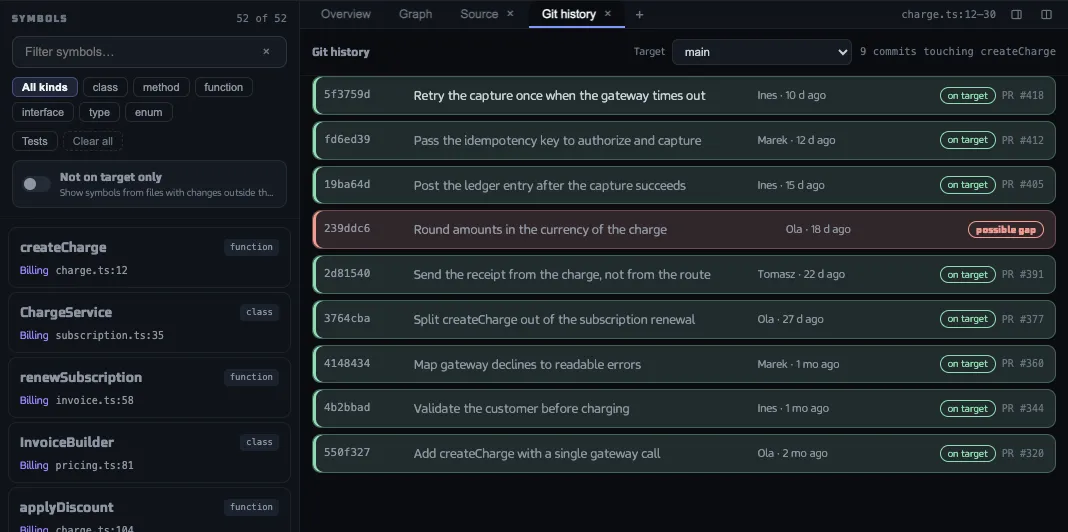
    The Git history pane of the Repository Index with the commits that touched a selected function, each with its hash, subject, author, age and whether it is on the target branch. The sample data shown is made up.The Git history pane of the Repository Index with the commits that touched a selected function, each with its hash, subject, author, age and whether it is on the target branch. The sample data shown is made up.
  4. Analyses and plans

    Plan work that several agents can share

    Look into a question in an analysis before you build. Then divide the work into steps with gates and a file scope: an agent takes a step, nobody else can, and a step that touches the same files as one in progress is refused.

    • Analyses keep documents, variants and findings in one place
    • Steps wait for other steps and name the files they touch
    • Check a plan against the commits of the repository
    Learn more in the docs (Analyses and plans)
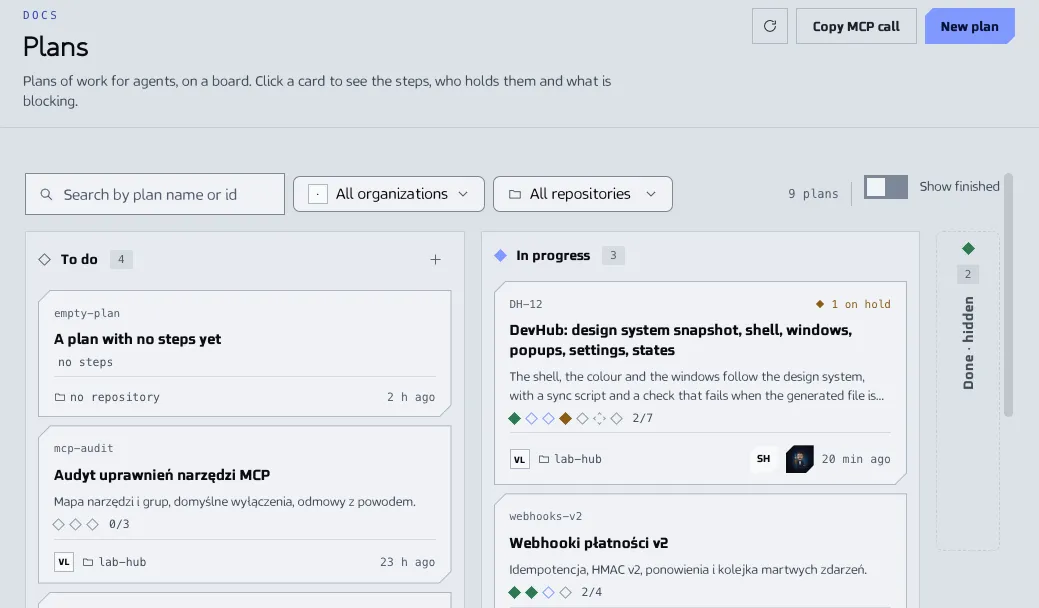
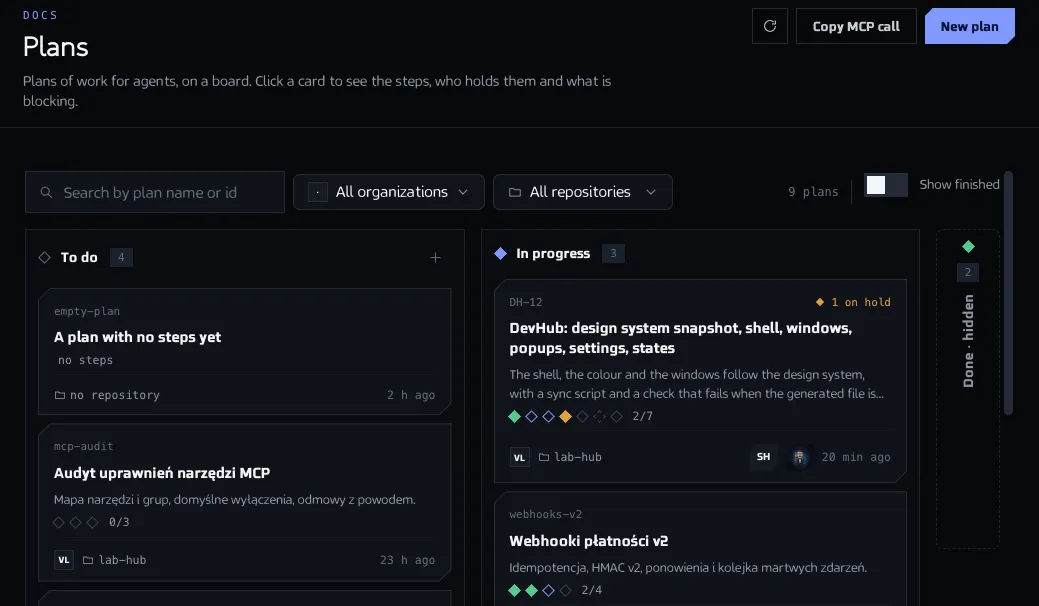
    DevHub · Plans
    The Plans screen with a board of plan cards in the columns To do and In progress, each with a row of step marks and the name of the agent working. The sample data shown is made up.The Plans screen with a board of plan cards in the columns To do and In progress, each with a row of step marks and the name of the agent working. The sample data shown is made up.
  5. Agents

    Run a persona as an agent and see what it did

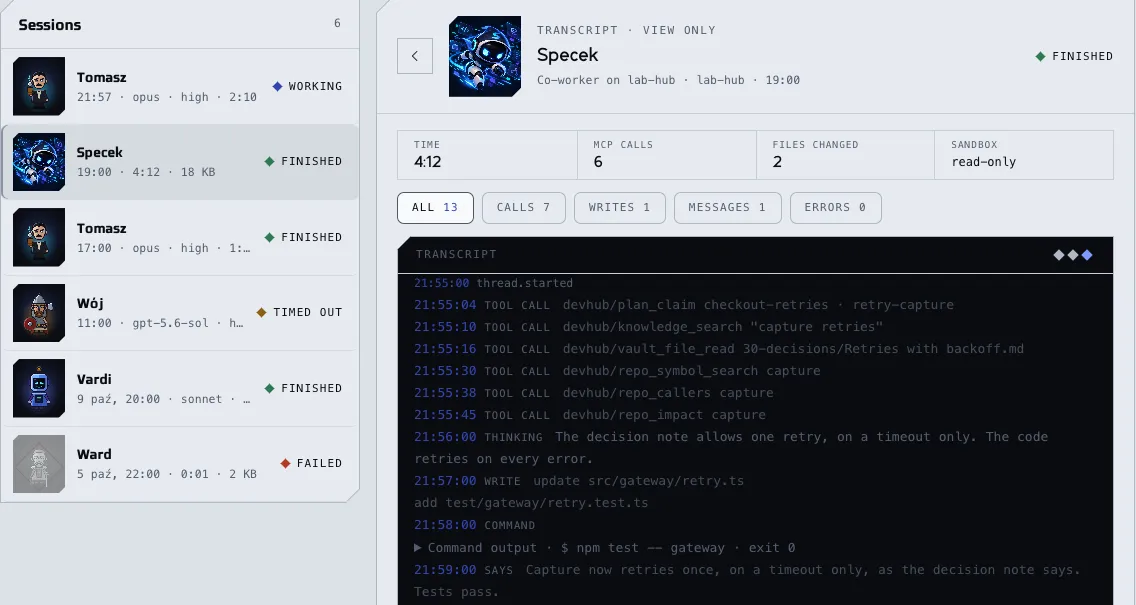
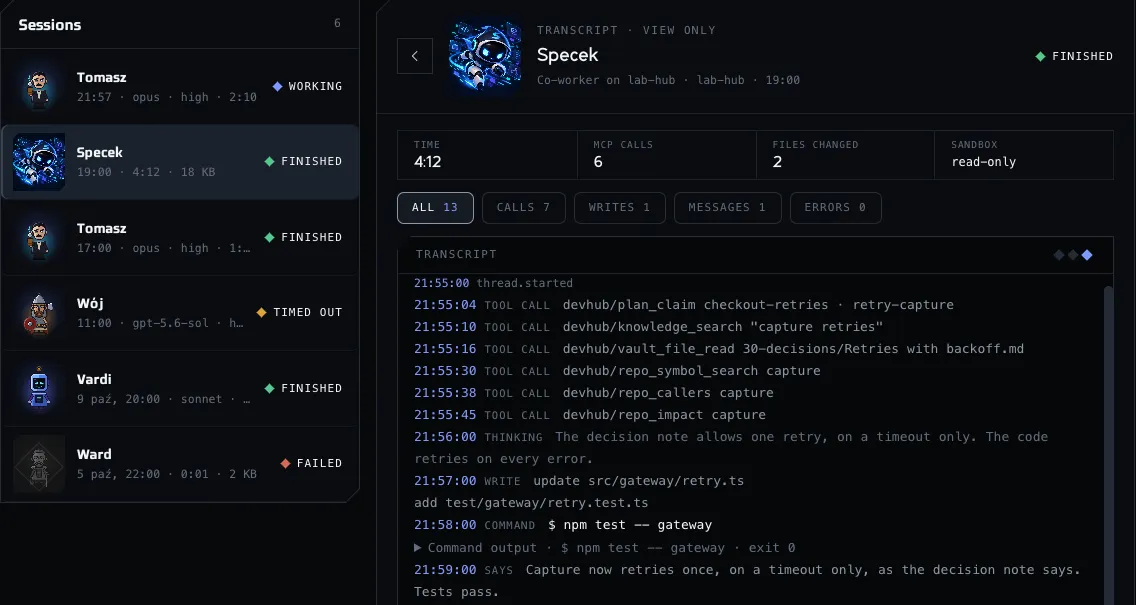
    An agent is a persona made runnable: the client that does the work, the repository it works in and the memory it reads. DevHub starts the client only when you ask. Every run is a session you can open: its transcript, its time, the MCP calls it made and the files it changed.

    • One agent per role, with a list of the models it may use
    • Read-only sandbox unless you say otherwise
    • Filter a transcript by calls, writes, messages or errors
    Learn more in the docs (Agents)
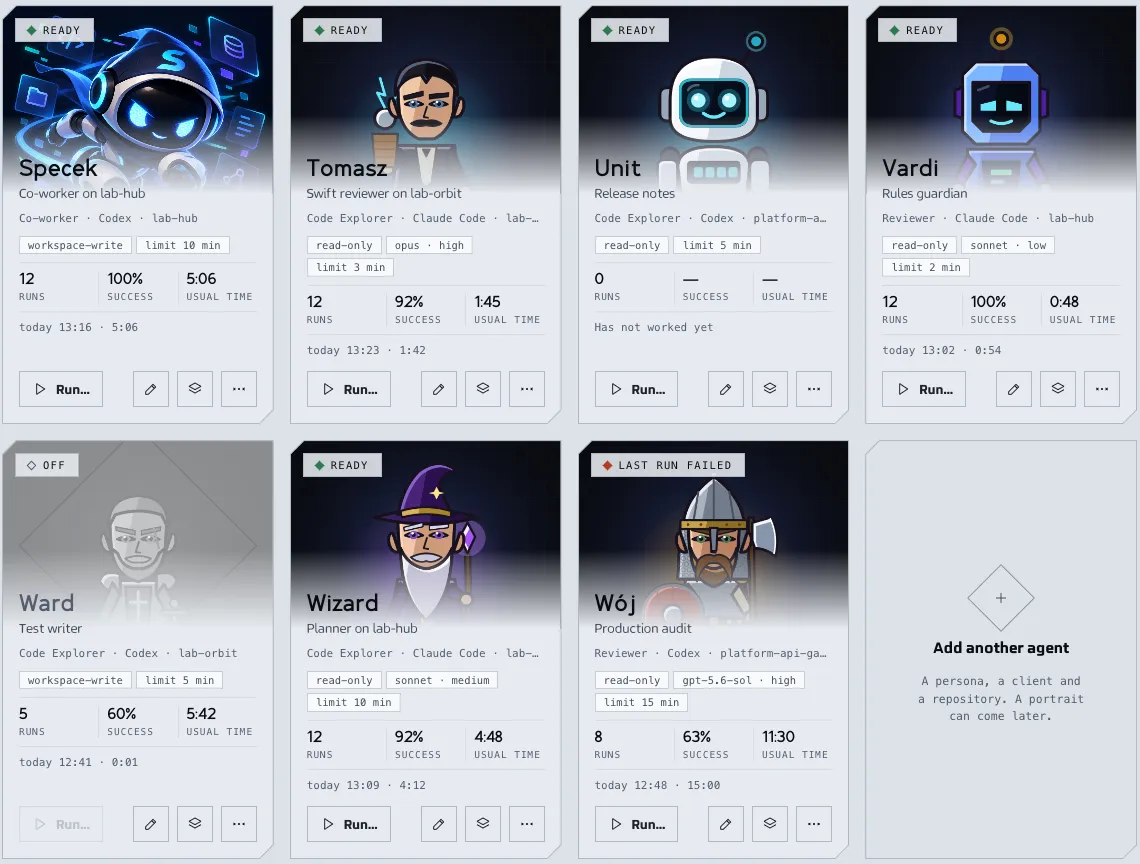
    Specek, the DevHub agent: a small hooded robot with glowing blue eyes, flying past floating panels with code, files, a database, notes and a graph.
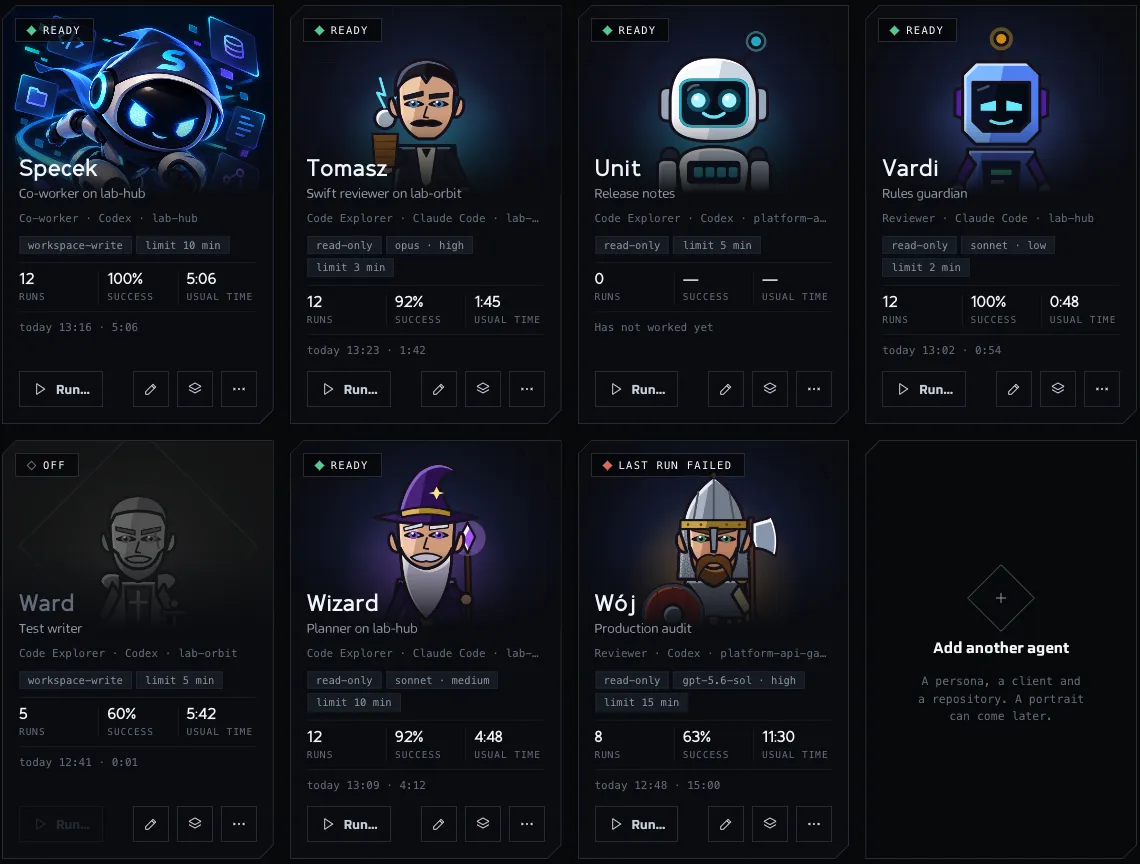
    DevHub · Agents
    The Agents screen as a gallery of agent cards, each with its portrait loaded: Specek and characters of the DevHub pets. A card shows the state, the persona, the client and the repository, the sandbox and the time limit, the runs, the success rate and the usual time, and buttons to run or edit the agent. The sample data shown is made up.The Agents screen as a gallery of agent cards, each with its portrait loaded: Specek and characters of the DevHub pets. A card shows the state, the persona, the client and the repository, the sandbox and the time limit, the runs, the success rate and the usual time, and buttons to run or edit the agent. The sample data shown is made up.
    DevHub · Agents · Sessions
    The Sessions tab of the Agents screen with a list of runs, each with the portrait of its agent and its state, and the transcript of a finished run: its time, MCP calls, changed files and sandbox, then the lines of calls, a file change, a command and the final message. The sample data shown is made up.The Sessions tab of the Agents screen with a list of runs, each with the portrait of its agent and its state, and the transcript of a finished run: its time, MCP calls, changed files and sandbox, then the lines of calls, a file change, a command and the final message. The sample data shown is made up.
  6. Memory and instincts

    Agents that remember, and learn from failures

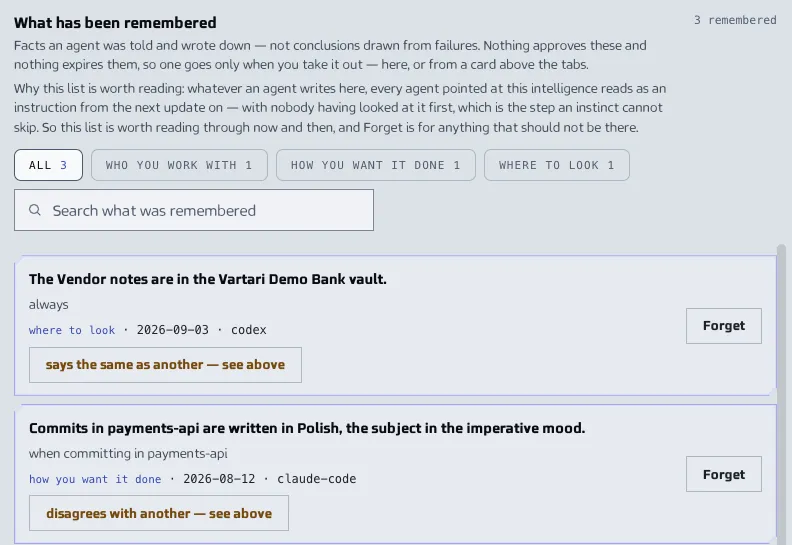
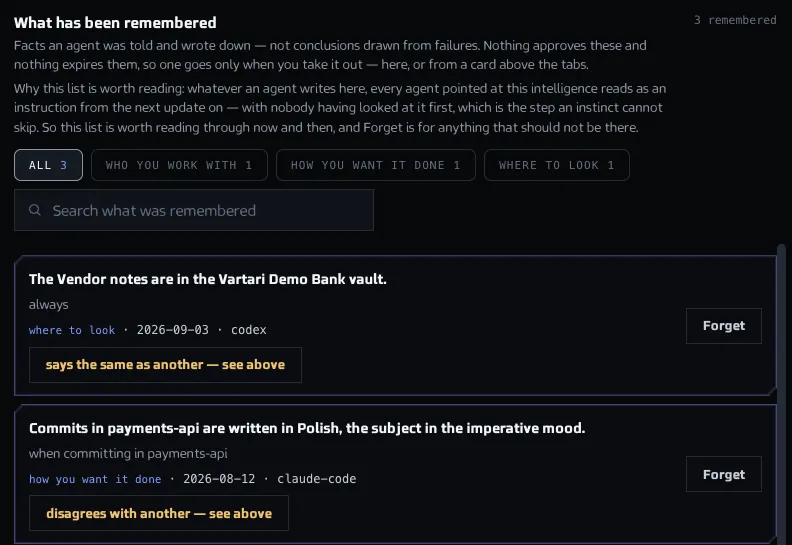
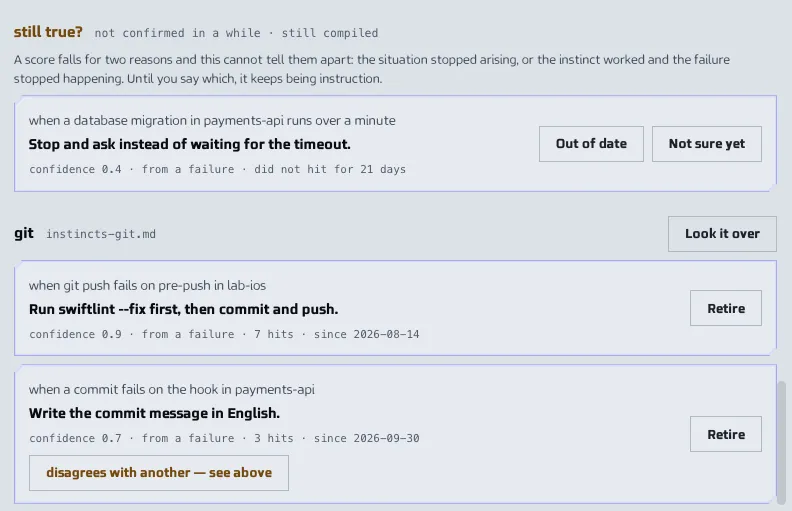
    Agent Intelligence remembers across sessions. Memory keeps what an agent was told, such as how you want things done. Instincts are what DevHub concluded from failures that repeated: you approve each one, and it loses confidence when the failure stops happening.

    • A memory is kept as it was said, until you forget it
    • Three sightings of the same failure make a pattern for you to approve or refuse
    • Nothing reaches an agent until you update the installed skills
    Learn more in the docs (Memory and instincts)
    DevHub · Agent Intelligence · Memory
    The list of what has been remembered in Agent Intelligence, with filters by kind, a search box and remembered facts, each with its kind, date, client and a Forget button. The sample data shown is made up.The list of what has been remembered in Agent Intelligence, with filters by kind, a search box and remembered facts, each with its kind, date, client and a Forget button. The sample data shown is made up.
    DevHub · Agent Intelligence · Instincts
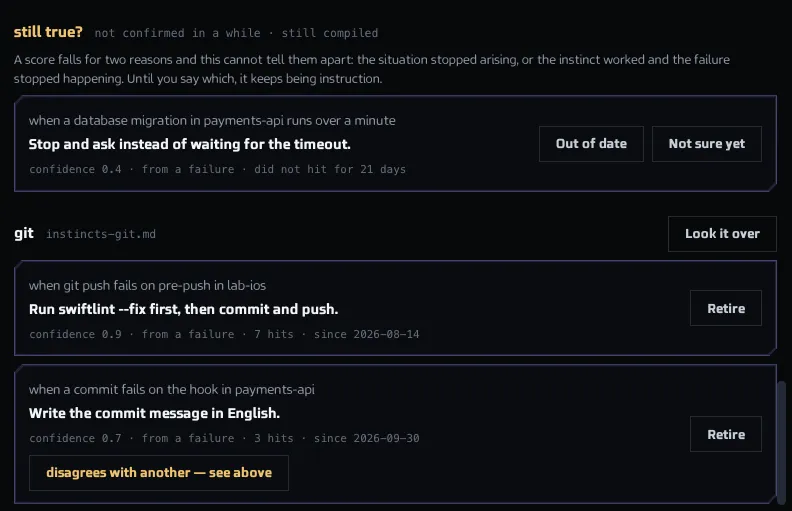
    The Instincts tab of Agent Intelligence with learned instructions grouped by topic, each with when it applies, what to do, its confidence and hits, and a button to retire it. The sample data shown is made up.The Instincts tab of Agent Intelligence with learned instructions grouped by topic, each with when it applies, what to do, its confidence and hits, and a button to retire it. The sample data shown is made up.
  7. MCP server

    One address for your AI clients

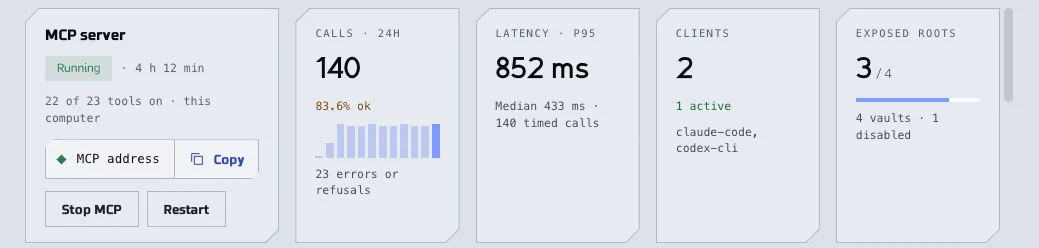
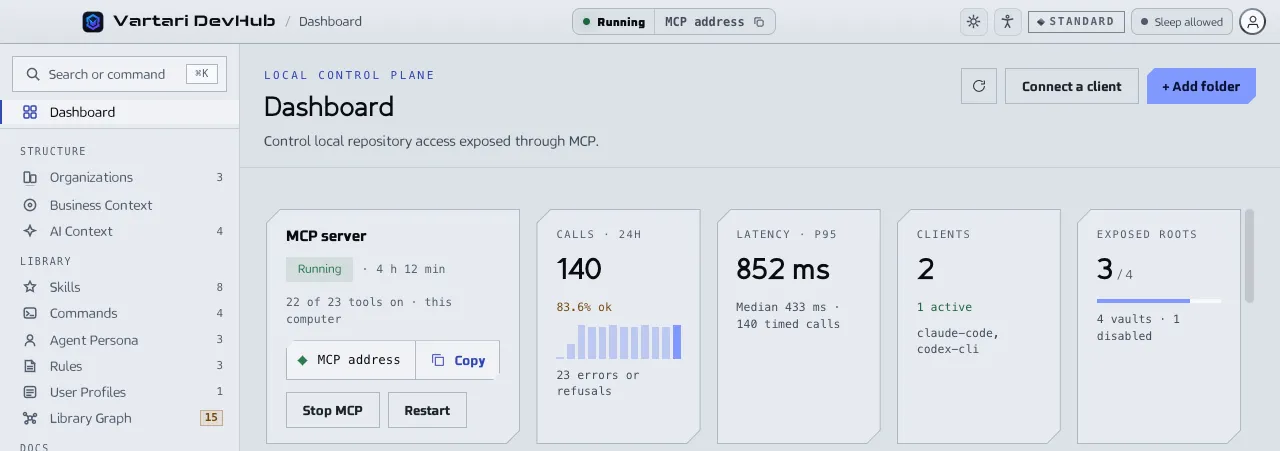
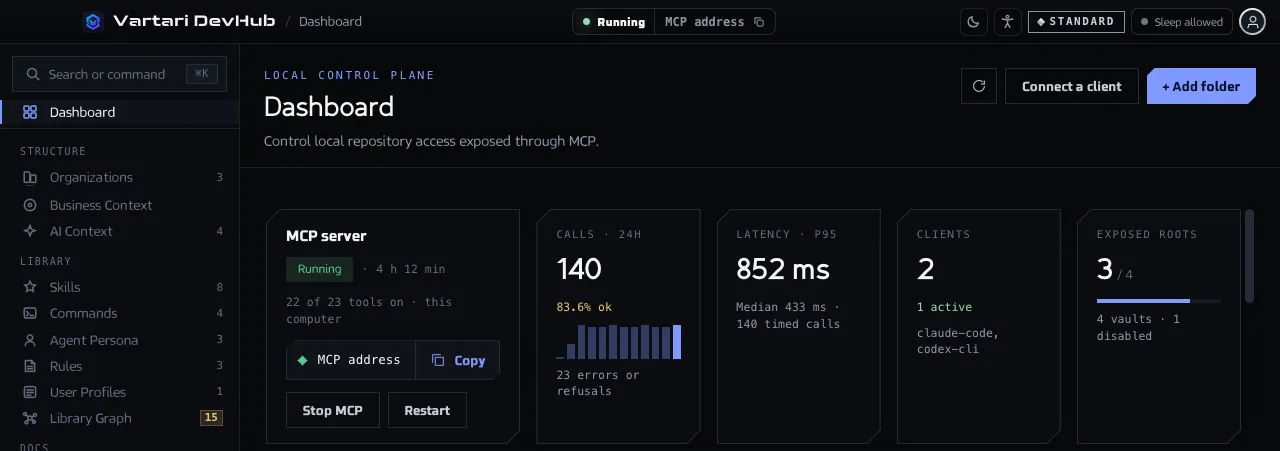
    A connected client can search a vault, read a repository index and use plans through the DevHub MCP server. Start or stop it when you like, and see which clients are connected.

    • Agents ask the repository index for symbols, callers and what a change would reach
    • You choose which tools agents get
    • A tool is offered only when your Vartari plan allows its area
    Learn more in the docs (MCP server)
    DevHub · Dashboard
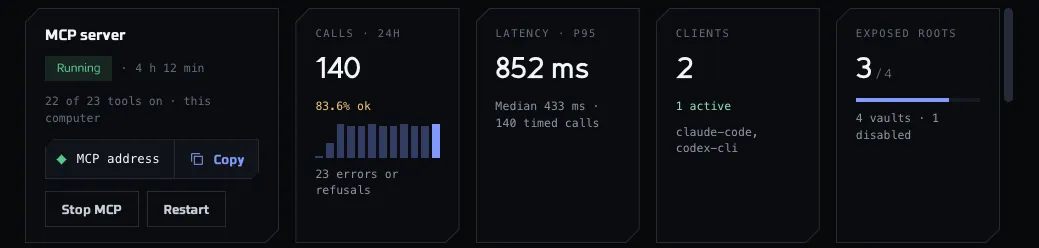
    The MCP server card of the Dashboard with its status, the number of tools on, the buttons to copy the address and stop the server, and cards with calls, latency, clients and exposed folders. The sample data shown is made up.The MCP server card of the Dashboard with its status, the number of tools on, the buttons to copy the address and stop the server, and cards with calls, latency, clients and exposed folders. The sample data shown is made up.
  8. Library

    Skills, rules and commands for all your clients

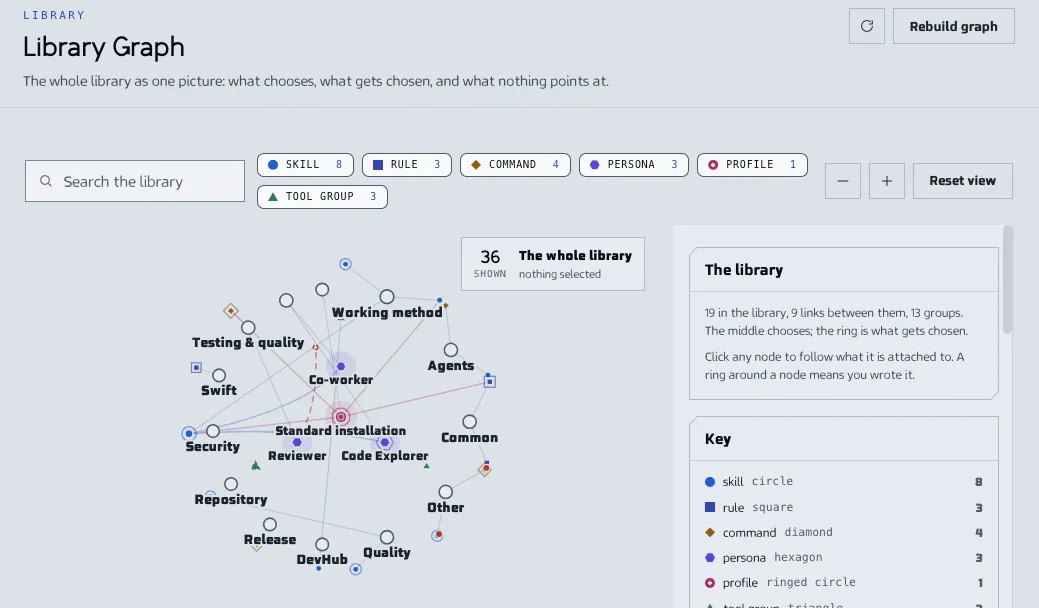
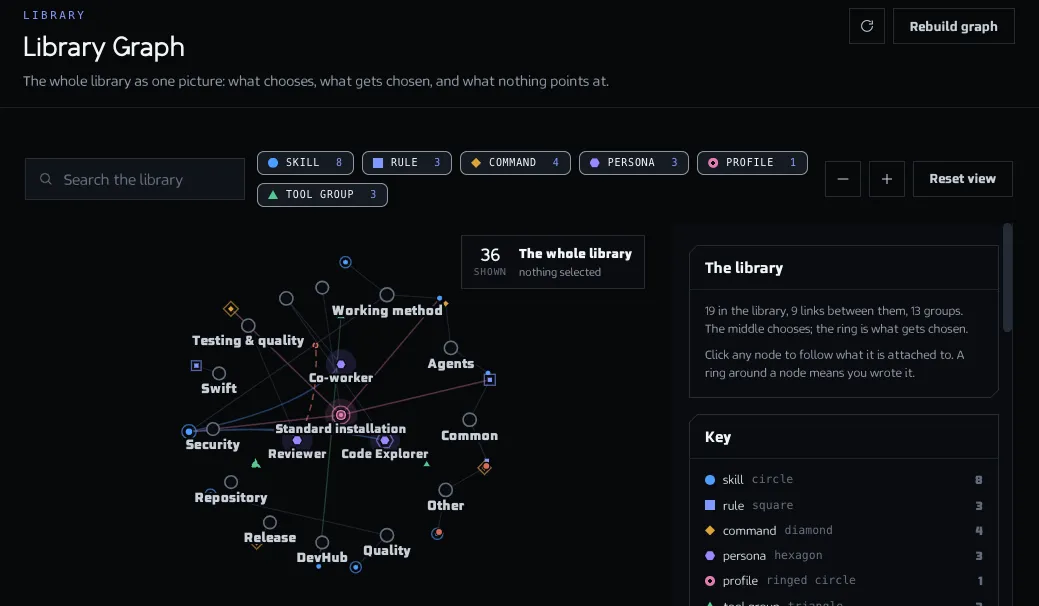
    The library keeps skills, commands, personas, rules and user profiles in one place for all your agents. Library Graph draws how they connect and lists what nothing points at.

    • Skills, commands, personas, rules and user profiles
    • Reach a client when you set up or update a folder
    • Library Graph lists the gaps, such as a name that points at nothing
    Learn more in the docs (Library)
    DevHub · Library Graph
    The Library Graph screen with profiles and personas in the middle, skills, rules and commands around them, a key to the shapes and a panel describing the library. The sample data shown is made up.The Library Graph screen with profiles and personas in the middle, skills, rules and commands around them, a key to the shapes and a panel describing the library. The sample data shown is made up.

How it works

From the installer to your first agent task in three steps.

  1. Install and sign in

    Install DevHub on your Mac and sign in with your Vartari ID. On the first start a wizard helps you add your first folder.

    Read the install guide →
  2. Connect your AI client

    Copy the address from the Dashboard into Claude Code, Codex, GitHub Copilot or OpenCode. DevHub can also set a folder up for the client.

    Connect a client →
  3. Work

    Your agents read your vaults, find code in the repository index and follow your plans. Every call shows on the Dashboard.

    Run your first task →
AI client · your project

›Use DevHub: find the plan for this feature and take the next step.

agent ›knowledge_search3 notes found

agent ›repo_symbol_search2 matches

agent ›plan_claimstep claimed

agent ›working on the step

A shortened sample session.

Meet the pets

The Desktop Pet is a character on your desktop that reacts to what your agents do and speaks with its own voice. Pick a character, then click a mood to hear it.

Twelve sensors. Online. Three routes calculated. Latency: eighteen milliseconds. Ready-ready-ready.
Droid

Droid · Idle

Pro

Droid

Astro droid

Clipped telemetry. Numbers first, words second, latency always.

Voices generated with a Vartari app that is coming soon.Desktop Pet in the docs

Everything DevHub does

Every screen and feature of the application, each with a link to what it does and how to use it.

Knowledge

  • Vaults

    Create or connect vaults of Markdown notes for an organization or a repository, and decide what agents may do with them.

  • Vault Viewer

    Read, edit, search and link notes, see them as a graph or on a canvas, and export a note to PDF.

  • Business Context

    Search decisions, rules and capabilities across your vaults at once, by words, without a model.

  • AI Context

    Queue notes, symbols and overviews, check their size against a token budget and let an agent pull them in one call.

  • Library

    Keep skills, commands, personas, rules and user profiles for all your agents, and see how they connect in a graph.

  • Instructions

    Hand an agent a procedure on purpose, by name, without installing anything in the client folder.

Code and clients

  • Repository Index

    Read the code of a folder into symbols and relations, so an agent can ask where something is, who calls it and what a change would break.

  • Harnesses

    Connect AI clients, set up a folder for each one and keep the files DevHub wrote up to date.

  • Vartari Hub

    Experimental

    Choose which model does which job in DevHub, from model servers you run and clients you already pay for.

Work and agents

  • Analyses

    Keep a spike in one place: documents, variants and findings for a ticket, exported when someone else needs them.

  • Plans

    Split work into steps with gates and a file scope, so several agents work on one plan at once, and check the plan against git.

  • Agents

    Make a persona runnable with a client, a repository and a memory, run it on demand and watch its sessions.

  • Activity

    The local log of every MCP tool call: who asked, what the result was and how long it took.

Workspace

  • Dashboard

    The first screen: the MCP server, agent calls from the last 24 hours, what needs attention and quick actions.

  • Organizations and projects

    Group your work: an organization holds projects and vaults, a project holds the folders agents may open.

  • Desktop Pet

    A character on your desktop that reacts to agent activity and speaks with its own voice.

  • Accessibility

    Change theme, font, text size, zoom, contrast and motion, and use DevHub without a mouse.

  • Settings

    Eight sections: language, account and plan, appearance, MCP server, updates, local data, shortcuts and About.

  • Updates

    See how DevHub checks for updates, what the channel is and how to install a new version.

Plans

Three plans: Standard, Plus and Premium. Your plan comes from your Vartari ID account.

Closed beta

DevHub is in closed beta. Plans and what they include will be updated soon.

Create account

Models you run locally use your computer's power. Vartari doesn't charge for local computation.

FAQ

Short answers, checked against the documentation.

What is DevHub?

DevHub is a desktop application for macOS that sits between your AI clients and your work. You decide which repositories and notes an agent may see, DevHub serves exactly those and records each call.

How DevHub works →
Which computers does it run on?

DevHub runs on macOS, on Apple silicon and on Intel, with one installer for each. It also needs Git for plans, step trees and repository checks.

Requirements →
Which AI clients does it work with?

Claude Code, Codex, GitHub Copilot and OpenCode. DevHub starts without a client, so you can connect one later.

Connect an AI client →
Does my code leave my computer?

Code and notes stay on your computer. You sign in with Vartari ID in your browser, and DevHub never sees your password. The sign-in sends only the device name and the system.

How DevHub works →
How do I get access?

DevHub is in closed beta, and accounts are by invitation. When access is granted to your Vartari ID, you get an e-mail with the installer link.

Install DevHub →
What does it cost?

Plans and what they include will be updated soon, and no prices are published yet. The three plans, Standard, Plus and Premium, are described in the Plans section.

See the plans →
Where is the documentation?

At docs.vartari.com: the install guide, every feature, the catalog of tools and troubleshooting. If your case is not there, you can write to support.

Open the documentation →

Your projects deserve an agent that knows them

DevHub is in closed beta, with accounts by invitation. Create your account, install DevHub and connect your AI client.